
Live Results
- Return on deposits
- +5.17%Latest day (5 Nov)+0.35%(+$1.05)How it's calculatedTotal profit+$15.51÷ Total deposits$300.00= Return on deposits+5.17%
- Total profit
- +$15.51
- Total balance
- $300.16
- Total withdrawals
- $15.35
- Hoshi
- Kumo
- Sora
| Hoshi | 18 Oct 2026 – 5 Nov 2026 | +12.26% |
|---|---|---|
| Kumo | 12 Oct 2026 – 5 Nov 2026 | +1.08% |
| Sora | 14 Sept 2026 – 29 Oct 2026 | +1.79% |
 CLOUDPips HoshiDefault.set · Real (Cent) · AutomatedGrowth +12.26%Latest day +0.71%
 CLOUDPips KumoDefault.set · Real (Cent) · AutomatedGrowth +1.08%Latest day +0.3%
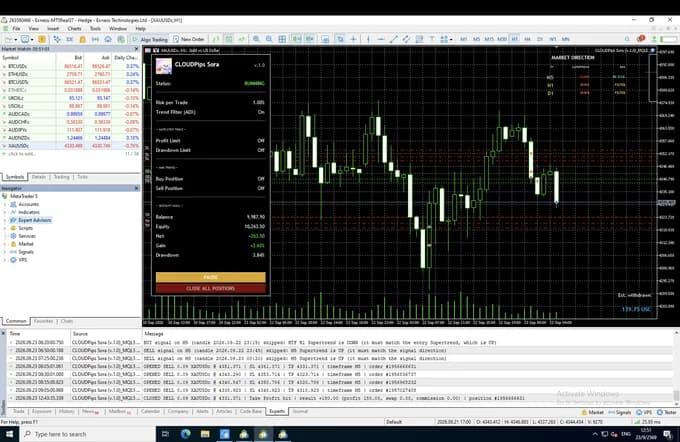
 CLOUDPips SoraDefault.set · Real (Cent) · AutomatedGrowth +1.79%Latest day -0.96%
Real accounts tracked by Myfxbook, updated 7 November 2026. Totals are in USD: cent accounts (USC) are divided by 100. Return on deposits = total profit ÷ total deposits. Each account's growth is Myfxbook's gain, which leaves out deposits and withdrawals. Past results don't guarantee future results.
- Where the numbers come from: Our own live accounts, connected to Myfxbook, refreshed about every 6 hours. We can't see or access customers' accounts.
- How to read them: Return = total profit ÷ total deposits · Growth = Myfxbook's Gain (deposits and withdrawals left out) · Cent accounts are divided by 100 into USD
- Read them with the backtests: A few months live can look better or worse than the 23-year backtest.
Past results, live or tested, don't guarantee future results. Trading gold carries a high risk of loss. Risk warning
Get Started in 4 Steps
 See account requirements
Prepare your MT5 account
Use an MT5 account with a broker you choose, and check the symbol and account type the EA needs.

 How to install MT5
Set up MT5
On a PC or VPS that stays on, so the bot runs 24/5.
 How to install the EA
Attach the bot
Add the bot to MT5, then drag it onto the chart you want to trade.
 How to load a preset
Load a preset
Choose the preset that fits your balance, then turn on Algo Trading.